
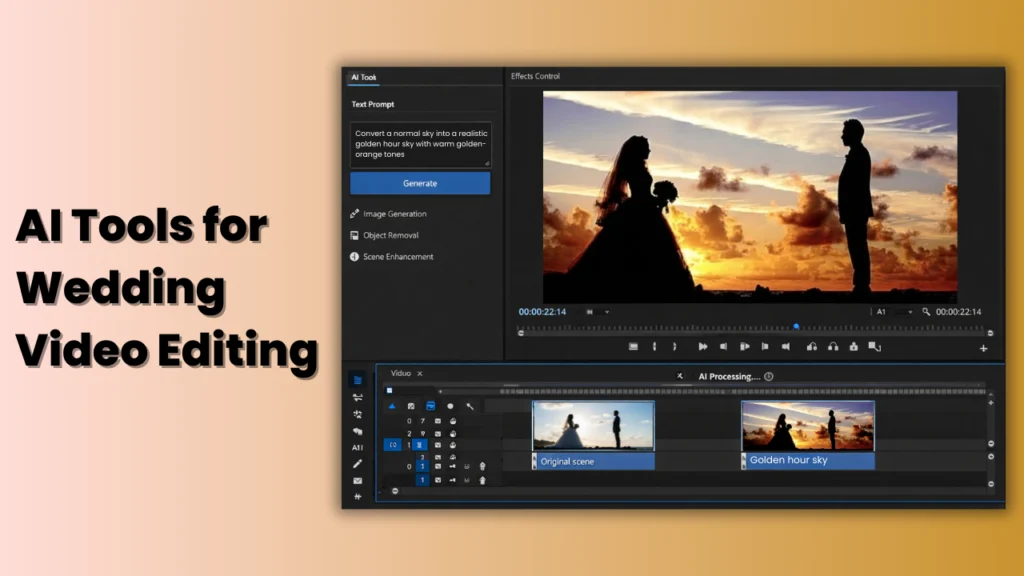
Wedding videos are no longer just simple recordings of ceremonies. In the USA, couples now expect cinematic storytelling, emotional highlights, social media clips, wedding video clips, and same-day edits. Meeting these expectations used to take weeks of manual editing. Today, AI tools for wedding video editing are changing everything.
Artificial intelligence is helping wedding videographers, content creators, and even couples themselves edit faster, smarter, and more creatively. From automatically selecting emotional moments to improving color, sound, and pacing, AI is transforming the entire wedding video workflow.
This in-depth guide explains what AI wedding video editing tools are, how they work, why they are so popular in the USA, and how to use them effectively—without relying on a specific tools list.
What Are AI Tools for Wedding Video Editing?
AI wedding video editing tools are software platforms that use machine learning, computer vision, and automation to assist or replace manual editing tasks. Instead of editors trimming every clip by hand, AI analyzes footage and makes intelligent decisions based on patterns, movement, sound, and emotions.
Unlike traditional video editing software that relies fully on human input, AI tools can:
- Detect faces and emotions
- Identify important moments automatically
- Match clips to music beats
- Enhance video and audio quality
- Adapt videos for different platforms
These tools are especially useful for wedding videos, where footage is long, emotional moments are critical, and delivery timelines are tight.
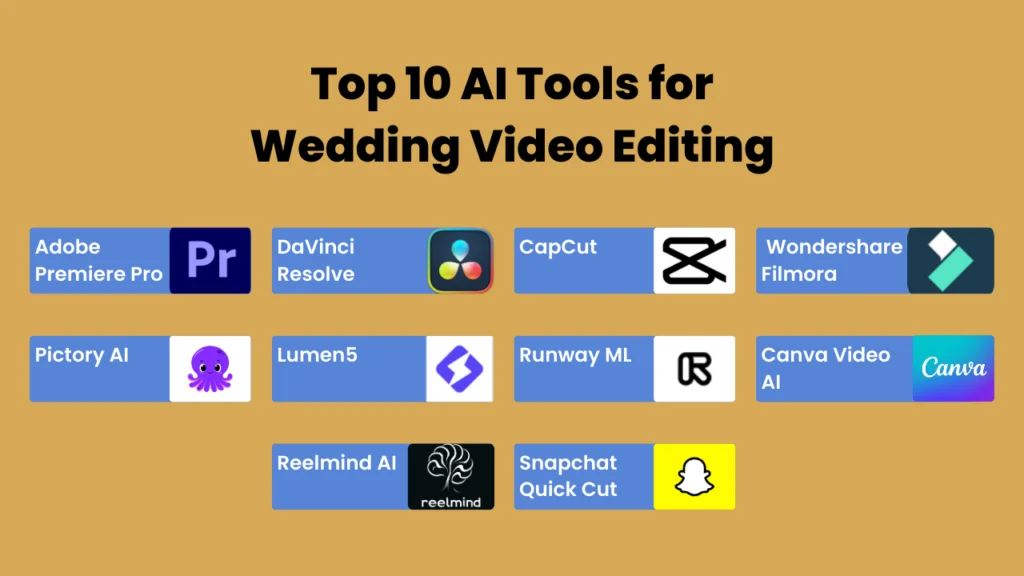
Top 10 AI Tools for Wedding Video Editing
1. Adobe Premiere Pro (Paid – Industry Standard)
Why it’s famous in the USA:
Adobe Premiere Pro is the most widely used professional video editor in the wedding industry. Its AI-powered features help editors manage long wedding footage efficiently.
AI Features
- Automatic scene detection
- Smart reframing for social media
- AI-driven color and audio correction
Free or Paid?
- No permanent free version (7-day trial only)
Best for:
- Professional wedding videographers producing full-length cinematic films.
2. DaVinci Resolve (Best Free Professional Tool)
Why it’s popular:
DaVinci Resolve offers one of the strongest free video editors available in the USA, especially for color grading.
AI Features
- Face recognition
- AI color matching
- Speech-to-text (Studio version)
Free or Paid?
- Free version: Very powerful
- Paid Studio: One-time $295
Best for:
- Editors who want professional quality without monthly fees.
3. CapCut (Best for Reels & Short Wedding Videos)
Why it’s trending:
CapCut is widely used for TikTok, Instagram Reels, and short wedding highlights due to its speed and simplicity.
AI Features
- Automatic clip selection
- Beat-sync editing
- Smart templates
Free or Paid?
- Free version available
- The pro version unlocks premium assets
Best for:
- Same-day edits and social-media-ready wedding videos.
4. Wondershare Filmora (Beginner Friendly)
Why people love it:
Filmora is designed for users with little editing experience but still want polished wedding videos.
AI Features
- AI motion tracking
- Smart transitions
- Auto music sync
Free or Paid?
- Free version with the watermark
- Paid plans remove the watermark.
Best for:
- Couples editing their own wedding video or beginner editors.
5. Pictory AI (Automated Wedding Highlights)
Why it’s useful:
Pictory focuses on automation, making it ideal for quickly creating wedding recap videos.
AI Features
- Auto highlight generation
- AI captions
- Storyboard creation
Free or Paid?
- Free trial available; paid plans start monthly.
Best for:
- Short wedding films and recap videos.
6. Lumen5 (Text-to-Video Wedding Content)
Why it’s famous:
Lumen5 is well-known for turning text and ideas into professional videos.
AI Features
- AI-driven templates
- Automated storytelling
- Brand customization
Free or Paid?
- Mostly paid plans with limited free access.
Best for:
- Wedding promos, invitations, and announcement videos.
7. Runway ML (Advanced AI Creativity)
Why creators choose it:
Runway ML offers next-generation AI tools not found in traditional editors.
AI Features
- Background removal without green screen
- Text-to-video generation
- Motion tracking
Free or Paid?
- Free plan with limits; paid plans unlock advanced tools.
Best for:
- Creative wedding films and cinematic effects.
8. Canva Video AI (Fast & Simple Editing)
Why it’s popular in the USA:
Canva is extremely easy to use and perfect for quick wedding clips.
AI Features
- Automatic captions
- Magic Resize
- AI video templates
Free or Paid?
- Free version available
- Pro plan unlocks premium features
Best for:
- Social media wedding videos and short clips.
9. Reelmind AI (Credit-Based AI Video Creation)
Why it stands out:
Reelmind focuses on AI-generated video scenes rather than traditional editing.
AI Features
- AI scene creation
- Multi-image fusion
- Advanced AI models
Free or Paid?
- Pay-per-credit system
Best for:
- Creative and experimental wedding visuals.
10. Snapchat Quick Cut (Mobile & Instant)
Why it’s famous:
Snapchat Quick Cut is popular for same-day wedding teasers on mobile devices.
AI Features
- Automatic highlight reels
- Music-synced clips
Free or Paid?
- Completely free
Best for:
- Quick mobile edits and social sharing.
| Tool Name | Free Version | Paid Pricing | AI Features Included | Best For |
|---|---|---|---|---|
| Adobe Premiere Pro | Trial only | $22.99/month | Scene detection, AI color, audio cleanup | Professional wedding filmmakers |
| DaVinci Resolve | Yes | $295 one-time (Studio) | AI color grading, face tracking, speech-to-text | Cinematic wedding films |
| CapCut | Yes | $9.99–$19.99/month | Auto-cut, beat sync, templates | Reels & highlight videos |
| Wondershare Filmora | Yes (watermark) | $19.99/month or yearly | AI effects, motion tracking | Beginners & DIY couples |
| Pictory AI | Trial | From $19/month | Auto highlights, captions | Fast wedding summaries |
| Lumen5 | Limited | $19–$149/month | Text-to-video AI | Wedding teasers & promos |
| Runway ML | Yes (limited) | $12–$95+/month | Green screen AI, text-to-video | Creative cinematic edits |
| Canva Video AI | Yes | $12.99/month (Pro) | AI templates, captions | Social media wedding clips |
| Reelmind AI | Credit-based | Pay-per-use credits | AI scene generation | Experimental AI videos |
| Snapchat Quick Cut | Yes | Free | Auto highlight reels | Same-day mobile edits |
Free vs. Paid AI Wedding Video Editing Tools: What’s the Difference?
What Free AI Tools Can Do
Free tools usually offer:
- Basic auto-editing features
- Limited templates
- Lower export resolution
- Watermarks or usage limits
They are suitable for beginners or couples experimenting with editing.
Limitations of Free Versions
- Fewer AI automation features
- Restricted export quality
- Limited music and effects
- Slower processing speeds
Benefits of Paid AI Tools
Paid versions unlock:
- Advanced AI analysis
- High-resolution exports
- Faster rendering
- Professional color and audio tools
- Commercial usage rights
For wedding professionals in the USA, paid plans often pay for themselves through time savings.
Why AI Wedding Video Editing Tools Are Popular in the USA
Save Hours of Manual Editing Time
Traditional wedding editing can take 30-60 hours per project. AI tools automatically organize footage, remove unusable clips, and create rough edits—cutting that time dramatically.
Automatically Identify the Best Moments
AI analyzes facial expressions, sound peaks, motion, and crowd reactions to identify moments like vows, first looks, kisses, speeches, and dances. This reduces the chance of missing emotional highlights.
Create Cinematic Videos with Less Effort
AI color correction, stabilization, transitions, and music matching help create cinematic results without advanced technical skills. This is especially valuable for solo videographers and small studios.
Affordable Options for All Budgets
From free tools to low-cost subscriptions, AI wedding editing software is accessible to freelancers, small businesses, and couples who want to edit their own videos.
Perfect for Reels, Highlights, and Full Films
AI supports multiple output formats, making it easy to create:
- Instagram Reels
- TikTok videos
- YouTube wedding highlights
- Full-length wedding films
All from the same project.
Why AI Tools Are Becoming Essential in Wedding Video Editing
Growing Demand for Faster Turnaround
In the USA, couples increasingly expect wedding highlights within days—or even hours. AI significantly reduces editing time by automating repetitive tasks like trimming, sorting, and syncing.
Rise of Social Media Wedding Content
Wedding reels, TikTok clips, and Instagram highlights are now just as important as full wedding films. AI tools quickly reformat videos into vertical and short formats without starting from scratch.
Increased Competition Among Videographers
Wedding videography is highly competitive; AI helps creators deliver higher quality content faster, allowing them to stand out while managing multiple projects.
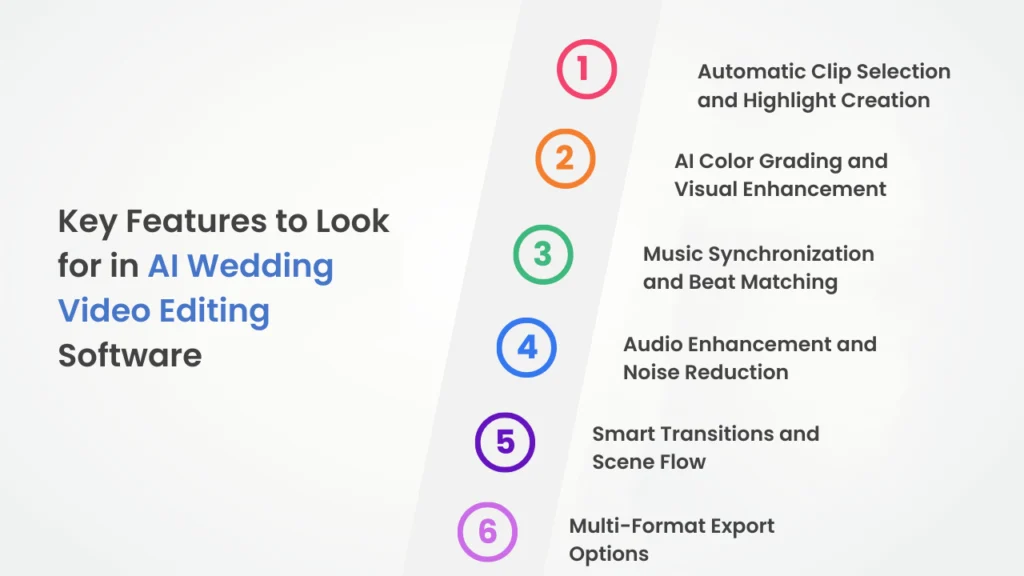
Key Features to Look for in AI Wedding Video Editing Software
Choosing the right AI solution depends on its capabilities. Below are the most important features for wedding video editing.
Automatic Clip Selection and Highlight Creation
AI scans hours of footage and selects the most meaningful moments. This is especially helpful when working with multi-camera setups and long ceremonies.
AI Color Grading and Visual Enhancement
Wedding footage often includes mixed lighting conditions. AI color tools balance tones, enhance skin colors, and maintain visual consistency across scenes.
Music Synchronization and Beat Matching
AI can automatically align cuts, transitions, and scene changes with the rhythm of background music, creating emotional impact without manual timing.
Audio Enhancement and Noise Reduction
Wedding venues are unpredictable. AI tools can isolate voices, reduce background noise, and enhance speech clarity during vows and speeches.
Smart Transitions and Scene Flow
AI analyzes pacing and emotion to place transitions naturally, improving storytelling without overusing effects.
Multi-Format Export Options
AI tools make it easy to export videos in:
- 4K cinematic format
- Vertical (9:16)
- Square (1:1)
- Horizontal (16:9)
This flexibility is essential for USA-based creators serving different platforms.
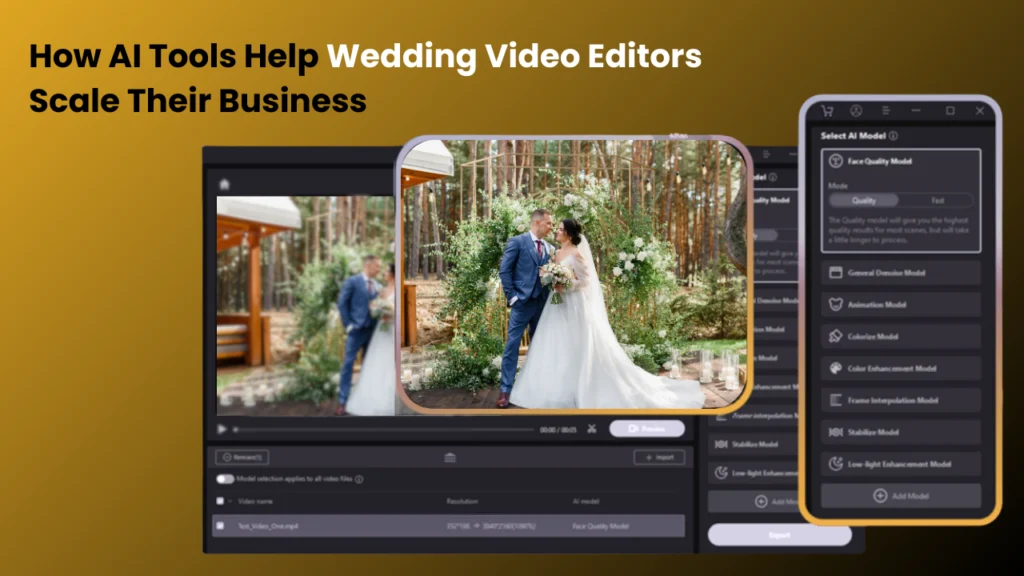
How AI Tools Help Wedding Video Editors Scale Their Business
Beyond editing speed, AI directly impacts business growth for wedding video editors.
By reducing the time spent on repetitive tasks, editors can take on more projects without extending working hours. Faster workflows allow studios and freelancers to:
- Accept more bookings during peak wedding seasons
- Deliver projects consistently on time
- Reduce the need for immediate team expansion
AI also enables editors to offer profitable add-on services such as same-day edits, social media clips, and express delivery options. These wedding video editing services are highly valued in the USA wedding market and can significantly increase revenue per client.
Equally important, AI helps reduce burnout. Automating repetitive work allows editors to maintain creative energy and long-term sustainability in a demanding industry.
How Wedding Video Editors Can Use AI Without Losing Creative Control
A common concern among professionals is that AI may make wedding videos feel generic. In reality, AI works best when it supports, not replaces, human creativity.
AI as a Foundation, Not the Final Cut
Experienced editors use AI to build the initial structure of a wedding film. Once the groundwork is done, they manually refine pacing, emotional flow, and storytelling to ensure each video feels personal and meaningful.
Preserving a Unique Editing Style
Every wedding editor has a signature look and storytelling approach. AI tools can assist with technical tasks, but final creative decisions—such as music choice, emotional emphasis, and scene order—should remain human-led.
Avoiding Over-Automation
Overusing automated effects or templates can make videos feel repetitive. Professional editors selectively apply AI features and customize the results to suit each couple’s story.
Enhancing Emotion Through Human Judgment
AI can detect moments, but it cannot fully understand relationships, context, or emotional weight. Editors play a crucial role in deciding which moments deserve emphasis and how the story unfolds emotionally.
When used thoughtfully, AI actually gives editors more creative freedom by removing technical distractions and allowing them to focus on storytelling.
FAQs: Your Questions, Our Answers
What are the best AI tools for wedding video editing?
Editors often search for AI tools that can automatically create highlights, improve color grading, sync music, and speed up wedding video workflows without sacrificing quality.
Can AI edit wedding videos automatically?
Yes, AI can organize footage, select highlights, create rough cuts, apply transitions, and enhance audio, but professional editors usually refine the final edit manually.
What other creative elements are possible to add to a highlight video?
Additional ways you can make this more cinematic and personal are with slow-motion shots, voiceovers, drone footage, emotional letters, vows, black-and-white clips, or reaction shots.
Are AI wedding video editing tools free to use?
Many AI tools offer free versions or trials with limited features, while advanced tools require paid subscriptions for professional-quality outputs.
Do AI tools reduce wedding video editing time?
AI can reduce editing time by 50–70% by automating repetitive tasks like trimming, sorting clips, syncing music, and formatting videos.
Will AI replace wedding video editors?
No. AI supports editors by handling technical tasks, while human creativity is still essential for storytelling, emotion, and personalized edits.
Are AI-edited wedding videos good enough for professional delivery?
Yes, when used correctly. Most professionals use AI for rough edits and enhancements, then fine-tune the final output manually.
Can AI tools create wedding highlight reels and social media clips?
AI tools are widely used to create short-form content like Instagram Reels, TikTok videos, and YouTube highlights from full wedding footage.
Do AI tools work with multi-camera wedding footage?
Most advanced AI editing tools support multi-camera footage and automatically sync clips based on audio or timestamps.
Is AI wedding video editing suitable for beginners?
Yes. AI tools are beginner-friendly and help new editors create polished wedding videos without deep technical expertise.
How much do AI wedding video editing tools cost in the USA?
Prices range from free plans to monthly subscriptions typically between $10 and $50, depending on features and export quality.
Can AI improve audio quality in wedding videos?
AI can reduce background noise, enhance speech clarity, and balance audio levels for vows and speeches recorded in noisy venues.
Are AI wedding editing tools legal for commercial use?
Most paid AI tools allow commercial use, but editors should always review licensing terms before delivering client work.
What features should wedding videographers look for in AI tools?
Key features include automatic highlight creation, AI color grading, music sync, audio enhancement, and multi-format exports.
Can AI tools match music beats to wedding footage?
Yes. Beat detection and music synchronization are popular AI features used to create emotional and cinematic wedding edits.
Is AI wedding video editing worth it for freelancers?
For freelancers, AI tools help save time, handle more projects, and deliver faster results—making them a valuable investment.